How I Built an AI That Actually Understands Me (OpenClaw on Steroid)
A journey from scattered notes to a thinking partner. How I built an AI assistant that understands my voice and helps me think better.

A journey from scattered notes to a thinking partner.
I used to have this problem.
I'd read something interesting, think "that's cool," and... that was it. The thought disappeared into the void of my brain, never to be seen again.
Then I'd stumble across the same idea months later and have zero memory of learning it before. It was like drinking from a firehose but forgetting everything the moment I looked away.
So I started taking notes. Lots of notes.
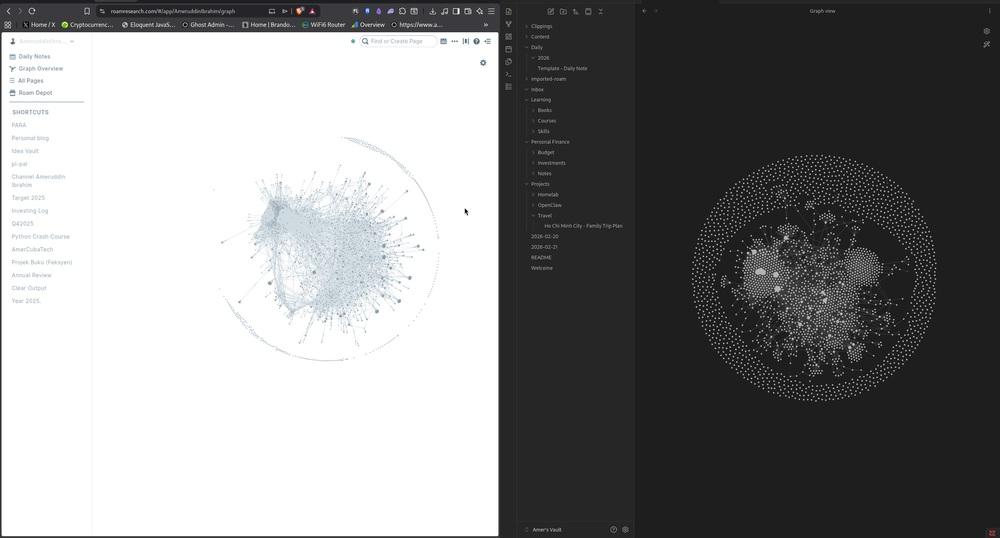
But here's the thing about notes - they only matter if you can find them again. And for years, I couldn't. My notes were scattered across Evernote, Apple Notes, random Google Docs, and a Roam Research database that had grown into a beautiful but chaotic mess of 2,765 pages.
The problem wasn't capturing ideas. The problem was connecting them.
Then I had an idea.
What if I gave an AI access to everything?
The Moment Everything Changed
It started with a simple question: "Why do I keep rewriting the same explanations?"
Every time I wrote about ASB dividends, I had to re-explain basic concepts. Every blog post about Bitcoin meant rediscovering the same research. Every time I wanted to connect ideas across topics, I had to manually hunt through hundreds of notes.
I was doing all the work. The notes were just... sitting there.
So I did something a little crazy.
I connected an AI assistant to my entire note collection.
And it changed everything.
What I Actually Built
Let me back up and explain what I actually did here, because I know some of you are thinking "this sounds complicated."
It's not. I promise.
Here's the simple version: I have a computer (a tiny Lenovo ThinkCentre that costs about RM800) running in my house. It does a few things:
- Runs my AI assistant (let's call him Nat)
- Stores all my notes in something called Obsidian
- Handles some home automation stuff through Raspberry Pis
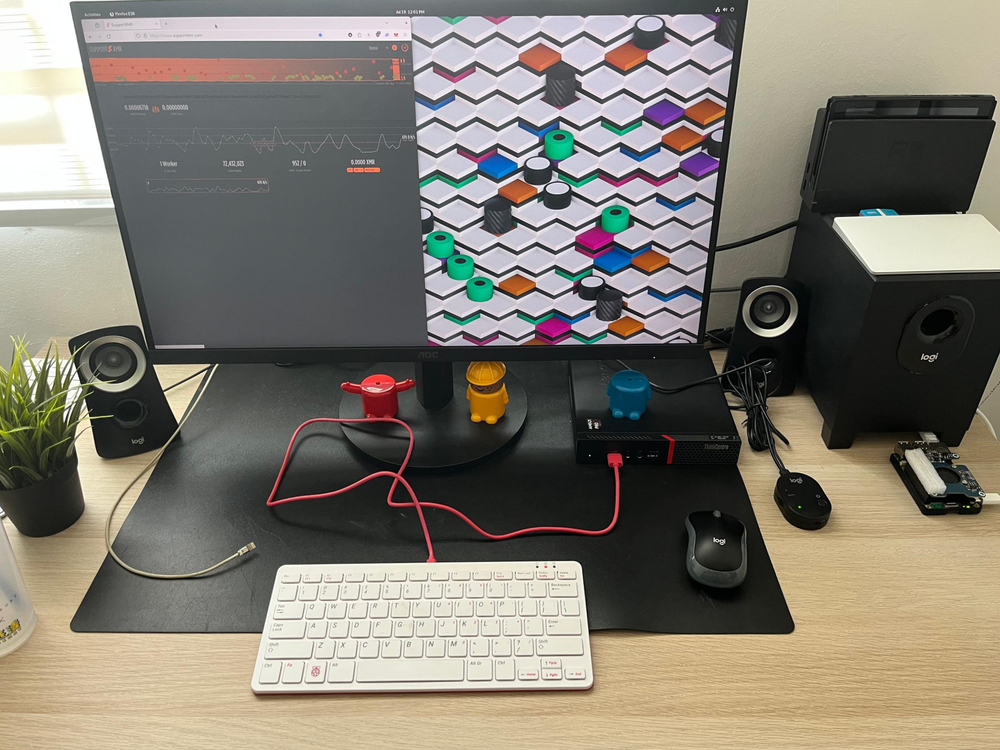
That's it. No cloud servers. No expensive subscriptions. Just a small computer in my office doing all the heavy lifting.
The magic isn't the hardware. The magic is how everything talks to each other.
The Real Problem I Was Solving
Before I get into the technical stuff, I want to explain the actual problem I was trying to solve, because I think a lot of content creators feel this way.
Here's my situation: I'm a digital marketer by trade. I write about personal finance - ASB, Bitcoin, REITs, that kind of thing. I've been doing this for years, and I've learned a lot.
But here's what happens:
You write 200 blog posts, and you forget what you wrote in each one. You do research for one article, then do similar research a month later and have no memory of where you saved it. You have ideas at 2 AM, type them somewhere, and never find them again.
Your brain is supposed to be your greatest asset. But it's actually pretty terrible at remembering specific details. Especially when you have hundreds of pieces of content floating around.
So I wanted two things:
- Never lose an idea again
- Actually use everything I've learned
The second brain stuff - that was the goal. Not for memorisation. For retrieval.
How It Actually Works (The Simple Version)
Okay, let's talk about the actual setup, but I'm going to keep this as non-technical as possible.
Think of it like this:
┌────────────┐      ┌──────────────┐      ┌─────────────────────┐
│  My Brain  │ ──── │     Notes    │ ──── │  AI Assistant (Nat) │
│            │      │  in Obdisian │      │                     │
└────────────┘      └──────────────┘      └─────────────────────┘
When I have a question or want to write about something, Nat can search through all my notes instantly and find relevant stuff. He can connect ideas I didn't know were connected. He can use my past research to help draft new content.
Here's what this looks like in practice:
Before:
- Me: "What did I write about ASB dividends in 2024?"
- Me: *scrolls through 50 notes*
- Me: "Ah, there it is."
After:-
- Me: "Nat, what do I have about ASB dividends?"
- Nat: "You wrote about it in three posts. Here's the key points..."
It's like having a research assistant who has read everything you've ever written. Which, honestly, is kind of amazing.
The Hardware (In Case You're Curious)
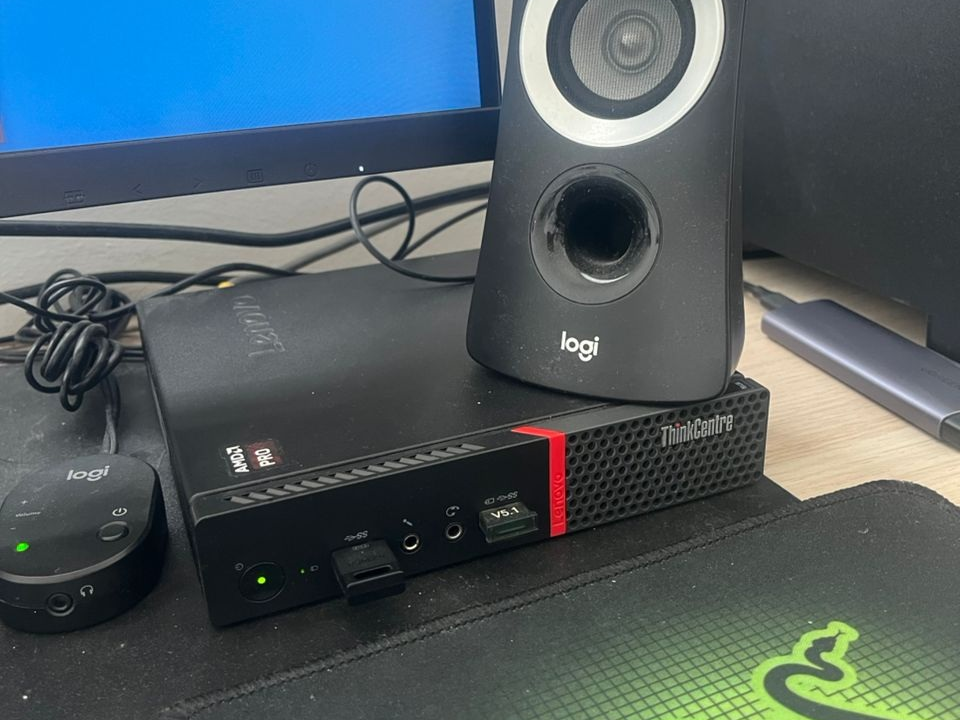
If you're wondering what I'm actually running this on, here's the full list:
My main server is a Lenovo ThinkCentre M715q. I got it secondhand for about RM800. It's not fancy - no RGB lights, no gaming specs. But it runs 24/7 without complaint and handles everything I throw at it.
I also have a Raspberry Pi 4 (Pi4) acting as network storage, and a Pi5 running Home Assistant for some home automation stuff. But for the AI assistant specifically, it's really just that one small computer.
Total cost of the whole setup: maybe RM1,500 one-time. Plus about RM70-130 per month in API costs.
That's less than a Netflix subscription for an AI that reads all my notes and helps me write.
The Real Magic: Context
Here's what I didn't expect.
I thought the value would be in search - finding notes faster. And that is valuable. But the real magic is something different.
It's context.
When Nat helps me write, he knows:
- What I've already published
- My writing style (conversational, personal)
- My audience (Malaysians interested in personal finance)
- What topics I've covered before
- My opinions and perspectives
So when I ask him to help with a blog post, I'm not starting from scratch. I'm building on everything that came before.
This is what people mean when they talk about "compounding knowledge." Every note you take becomes more valuable over time because it connects to everything else.
What I Actually Use This For
Let me be specific about what this system does for me:
Writing blog posts.
This is the big one. When I want to write about something, Nat searches my notes, finds related content, and helps me draft. The result is better content, faster.
Research.
Need to write about Bitcoin but don't remember that great article you read? Nat finds it. Need current information? He searches the web. Need to combine five different sources? He connects them.
Ideas.
When I have a half-formed thought, I dump it into Obsidian. Later, Nat helps me develop it into something usable.
SEO research.
Every week, Nat checks how my blog is performing and gives me insights. (More on this in a bit.)
Just thinking.
Sometimes I ask Nat to summarise what I have on a topic. It's like rubber-ducking, but with someone who's actually read all your notes.
The Weekly Rhythm
One of my favourite things is the weekly automation.
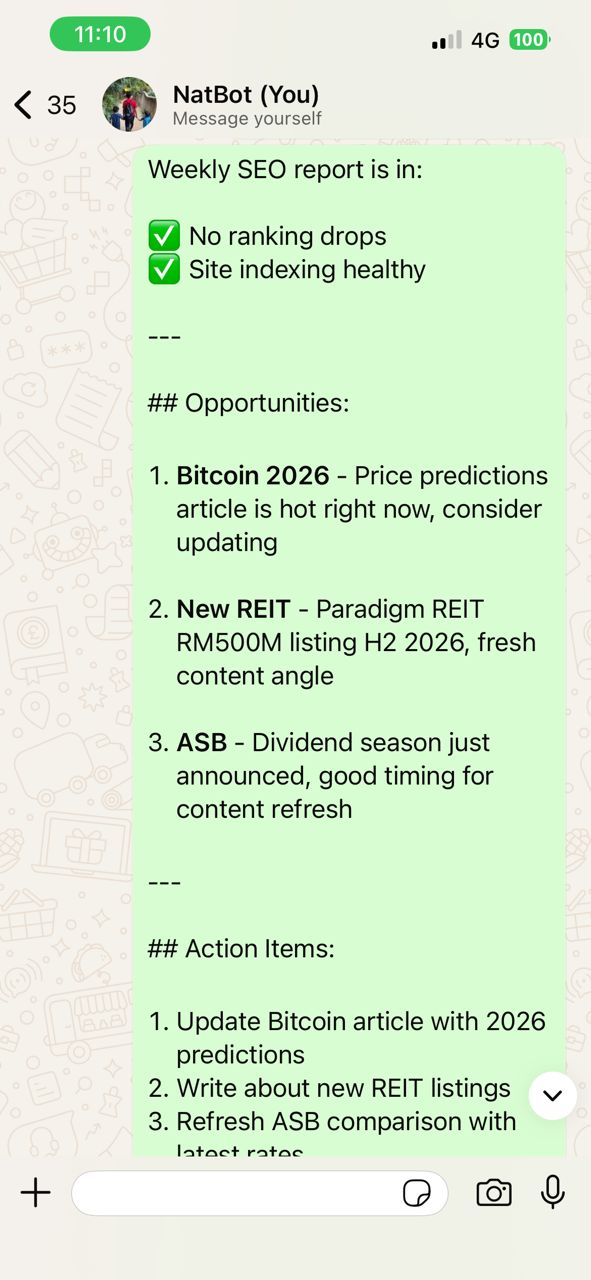
Every Monday morning, Nat runs an SEO check on my blog. He looks at:
- Which pages are ranking
- What keywords are gaining traction
- What content might need updating
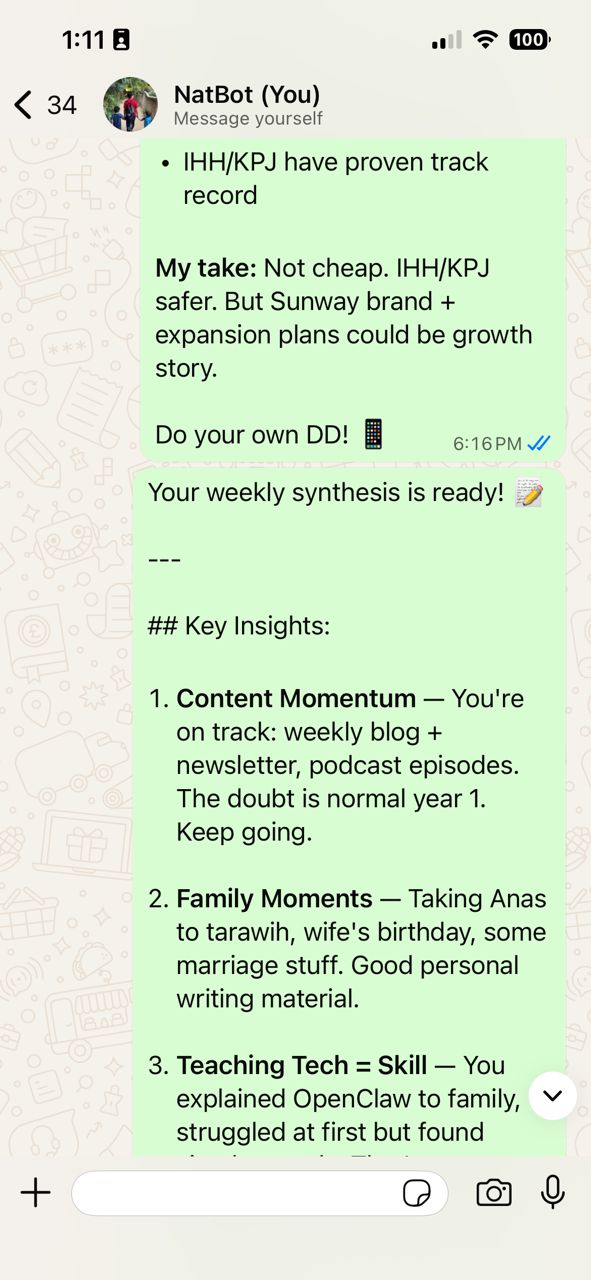
And every Sunday, he synthesises my ideas inbox - all those random thoughts I've captured during the week - into something coherent I can actually use.
It's like having a personal assistant who keeps everything organized while I sleep.
The Honest Truth About Costs
I want to be really transparent here, because I know some of you are wondering whether this is expensive.
Here's my monthly breakdown:
| Item | Cost (RM) |
|---|---|
| MiniMax API (AI brain) | ~50 |
| Ghost (blog hosting) | ~137 |
| ChatGPT (for images and coding) | ~24 | Electricity (the computer) | ~20-30 | Total | ~230-250 per month |
That's it. Less than my phone bill. And honestly, I make that back in ad revenue within a few days of publishing a good post.
What You Could Build
The beautiful thing about this is: anyone can do it.
You don't need to be technical. You don't need to understand how the AI works. You just need:
- A computer (even an old laptop works)
- A note-taking app (Obsidian is free)
- An AI API key (MiniMax is very affordable)
That's it. Three things.
The hardest part isn't the setup. It's actually *using* the system. Building the habit of capturing ideas. Writing regularly. Letting the compound effect work over time.
The Real Lesson
Here's what I learned from all this:
Tools don't make you productive. Systems make you productive.
I could have all the apps in the world. But if I don't capture ideas consistently, if I don't review them, if I don't actually *use* what I learn, then it's all worthless.
The AI assistant is just a tool. The real value came from:
- Actually taking notes (I started years ago in Roam)
- Structuring them in a way that makes sense
- Connecting ideas across topics
- Using the whole system consistently
The AI is just the layer that makes retrieval instant. The work still matters.
Where This Is Going
I'm still figuring this out. Every week I discover new ways to use this system. Every month I get a little more efficient.
Right now, I'm thinking about:
- Voice commands (imagine just talking to Nat instead of typing)
- Better integration with my calendar
- Automating more of the research process
The future of content creation isn't about writing more. It's about building systems that make writing easier. AI isn't going to replace writers. Writers who use AI are going to replace writers who don't.
Should You Try This?
If you've read this far, you're probably thinking: "This sounds cool, but is it for me?"
Here's my honest answer:
This is for you if:
- You write content (blog posts, newsletters, anything)-
- You feel like your ideas are scattered
- You want to be more consistent with publishing
- You're curious about AI tools
This might not be for you if:
- You're happy with your current workflow
- You don't write much content
- You prefer manual over automated
There's no right answer. But if any of this resonated with you, I'd encourage you to start small. Try Obsidian for a month. Write a few notes. See how it feels.
You might be surprised what you discover about your own thinking.
What's Next
This is just the beginning of what I'm building. I have a full guide coming with exact setup instructions, but I wanted to share the story first.
Because at the end of the day, this isn't really about technology. It's about:
- Capturing ideas before they disappear
- Connecting things that seem unrelated
- Making your knowledge actually useful
- Creating more than you consume
If any of that resonates with you, welcome to the club.
This is how I built mine. Now go build yours.
P.S. If you want the step-by-step technical guide - the actual how-to from start to finish - that's coming soon. This was just the story of why I built it.
P.P.S. I wrote this with help from my AI assistant. And I'm not ashamed to admit it. The future of writing isn't human OR AI. It's human AND AI. Together.
⚠️ This post contains affiliate links. If you sign up through these links, I may earn a small commission at no extra cost to you. I only recommend tools I actually use.